Windows x64 · CVS · Freeware · No registration
CVSTreeGraph
CVS revision history, finally readable.
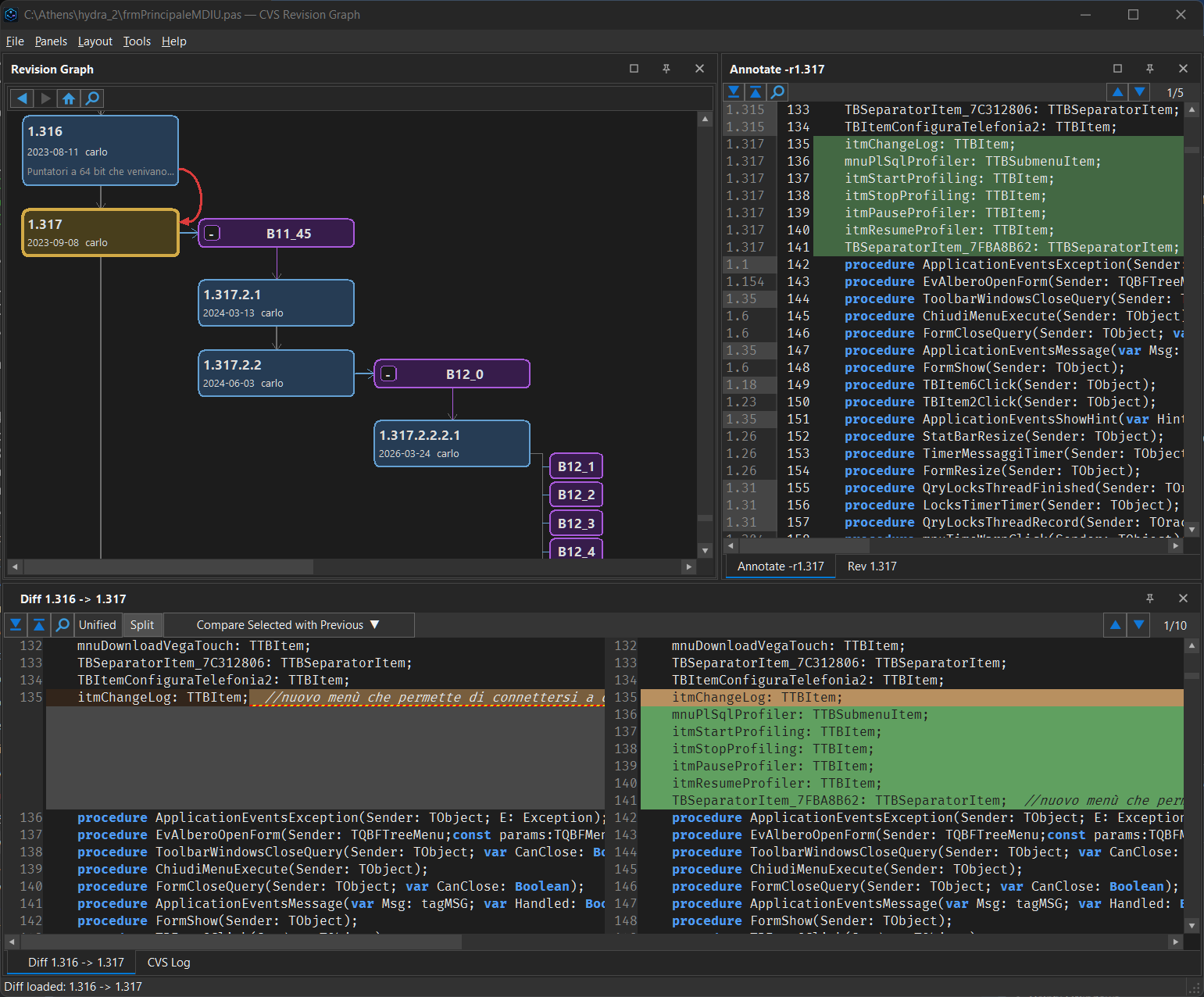
CVS repositories don't stay small forever.
WinCVS and TortoiseCVS work fine when history fits on screen. But as branches multiply and the repository grows over years, the graph becomes unreadable, operations lag, and you end up constantly switching between tools just to understand what happened to a file.
CVSTreeGraph is built for those repositories — the ones that have been around long enough to accumulate real history.
Graph layouts that scale
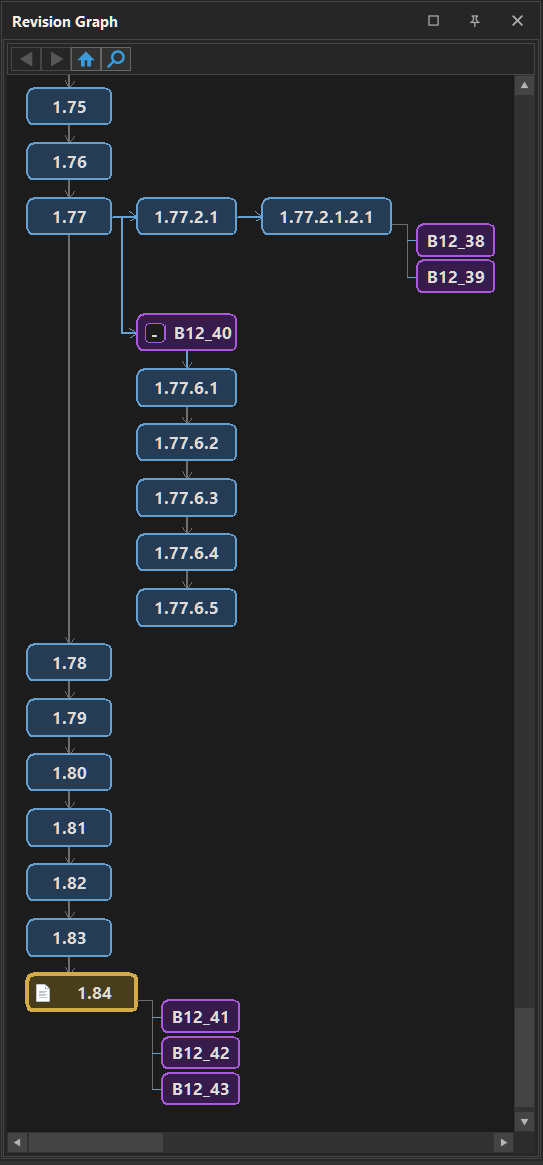
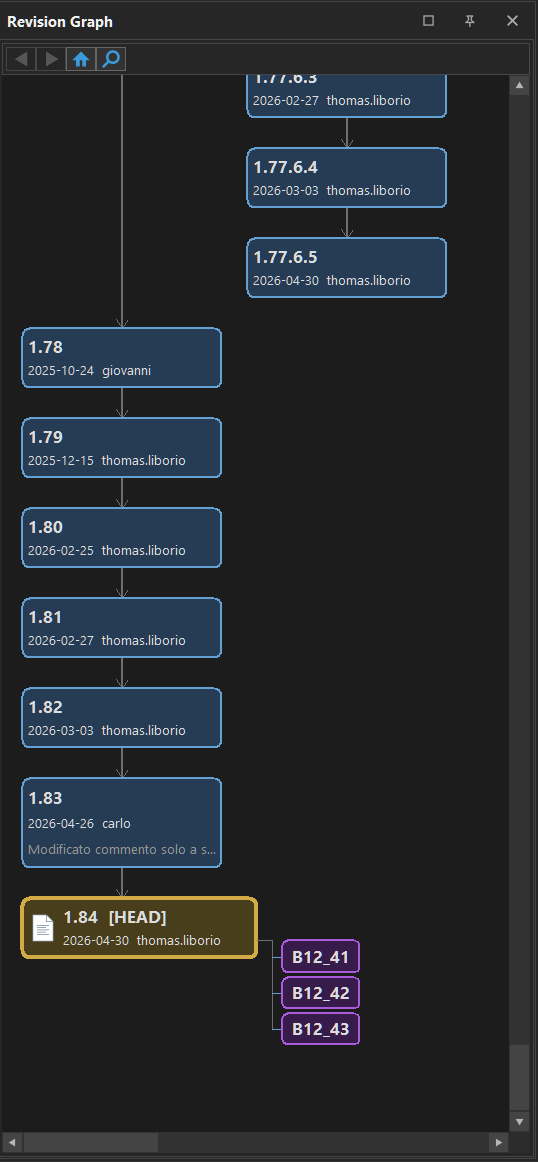
Compact or extended view, collapsible branches, automatic tag grouping — smooth navigation with no lag or flickering, even on histories spanning decades. Hover any node to see the commit message, author, and timestamp without leaving the graph.
Blame with context
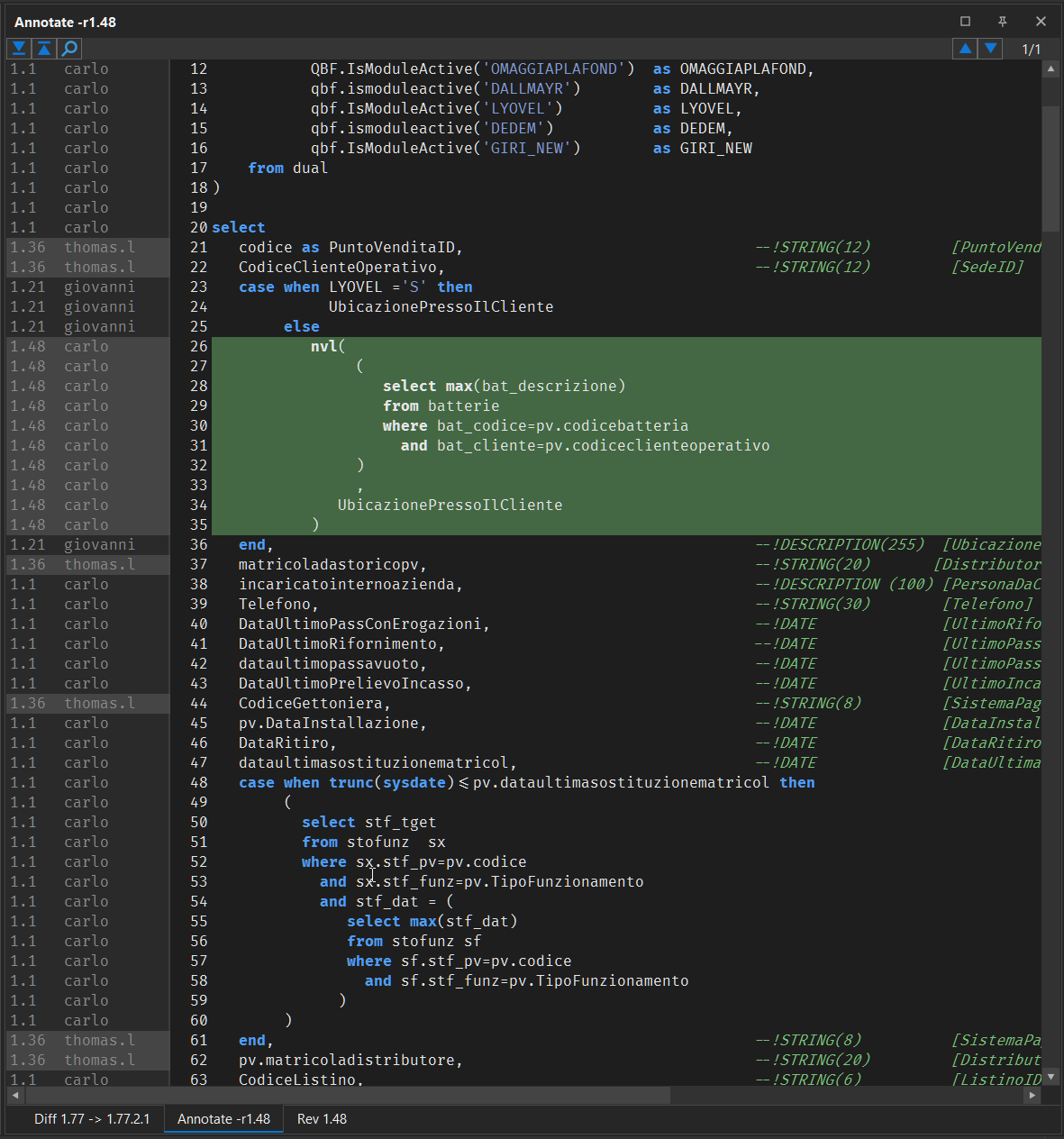
Syntax-highlighted code with revision info in the gutter — revision number, author, and date visible as you read. Click any line's revision to jump directly to that node in the graph. Annotation updates automatically as you navigate the history.
Compare without switching tools
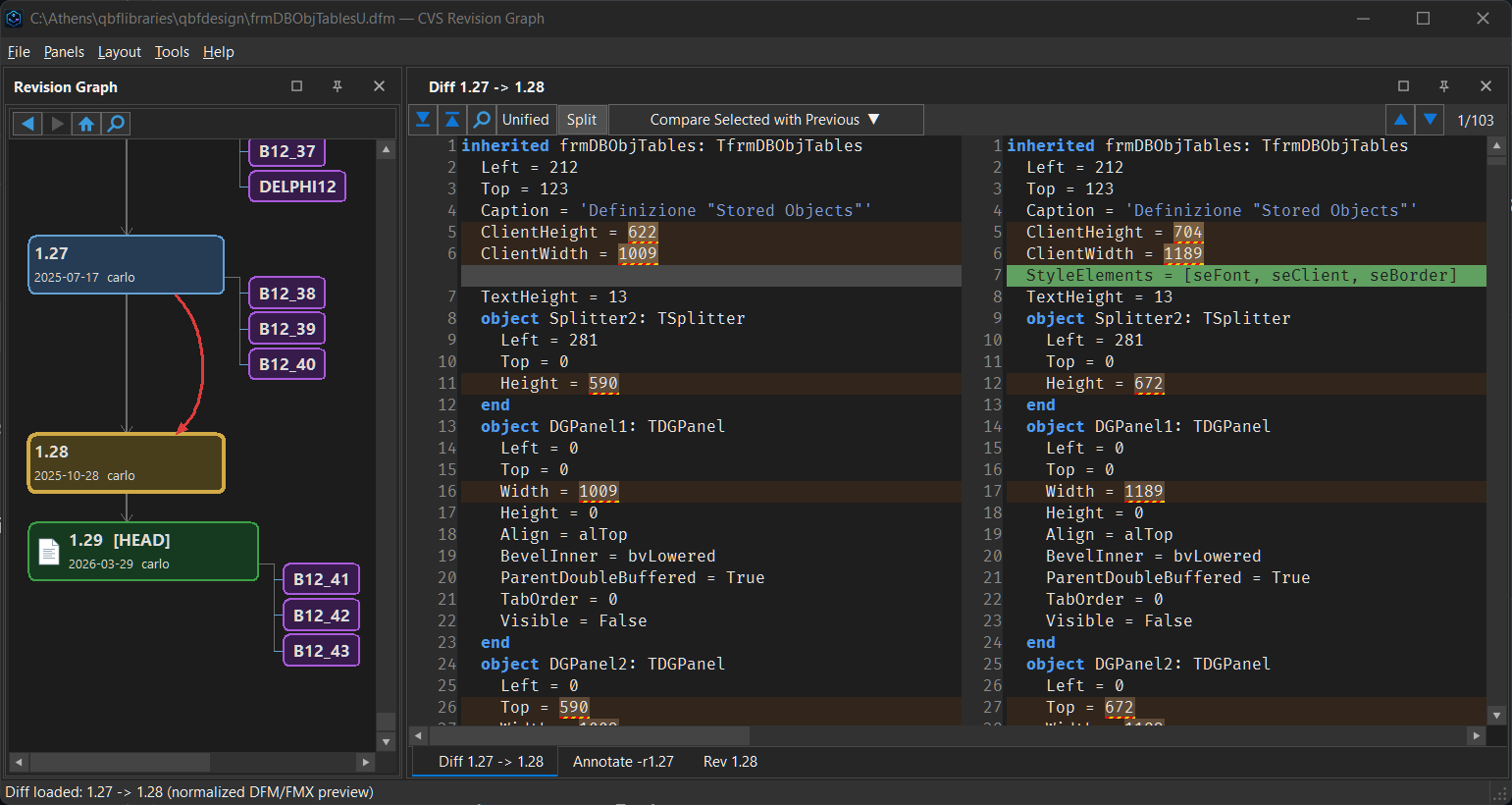
Side-by-side or unified diff, always synchronized with the selected graph node. Compare with the previous revision, the working copy, or a pinned baseline. Pin any revision to use as a fixed reference while you navigate the history freely.
Define once, apply everywhere
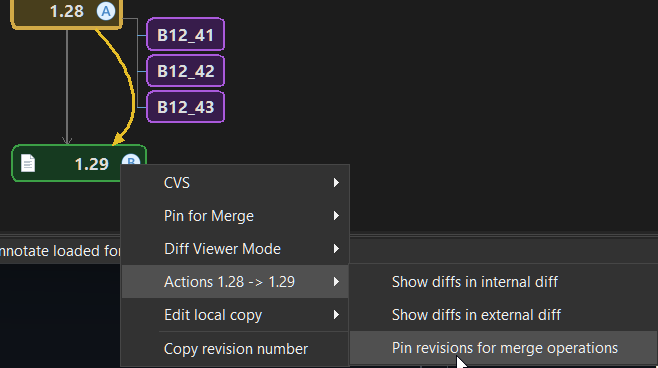
Pin a merge interval directly on the graph — mark the "Merge From" and "Merge To" revisions, then reuse that same interval across multiple branches. No manual revision number reconstruction, no tool switching, no lost context.
Also included
Working copy preview
Uncommitted local changes appear as a virtual node directly in the graph — see where your edits sit relative to the full history before you commit.
Auto-refresh
Graph, annotate, and diff update automatically after every commit, update, or merge. No manual reload, no stale views.
Windows Explorer integration
Optional shell extension adds "Open in CVSTreeGraph" to the Explorer context menu. Drag and drop files directly onto the application window.
It's free. Really.
CVSTreeGraph is freeware — free for personal and commercial use, with no time limit.
Freeware
This tool was born to solve a problem in a niche that is shrinking every year. Charging for it would cost more in support and paperwork than it could ever return, so it is simply free.
- All features included, no limits
- No registration, no license key, no activation
- No network calls of its own — it only runs
cvs.exe - Windows 10 / 11 (64-bit)
Closed source: the release repository publishes binaries and documentation only. Support is best-effort through GitHub Issues.
Download
Get CVSTreeGraph
Standalone Windows application — no installer required. Unzip and run.
Requires cvs.exe in your system PATH.